NOTE: For best experience, please use Chrome Browser!
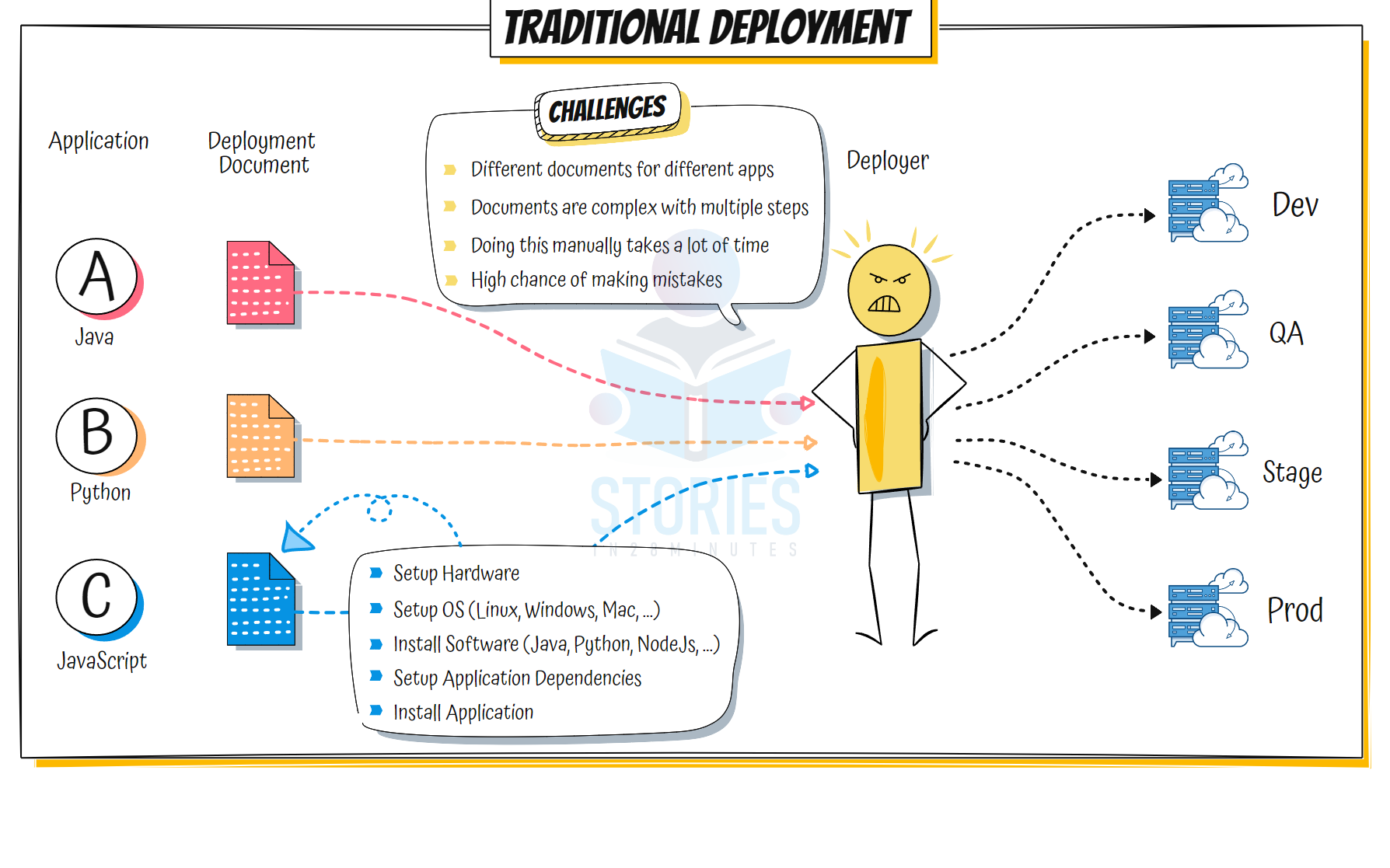
Traditional Deployment
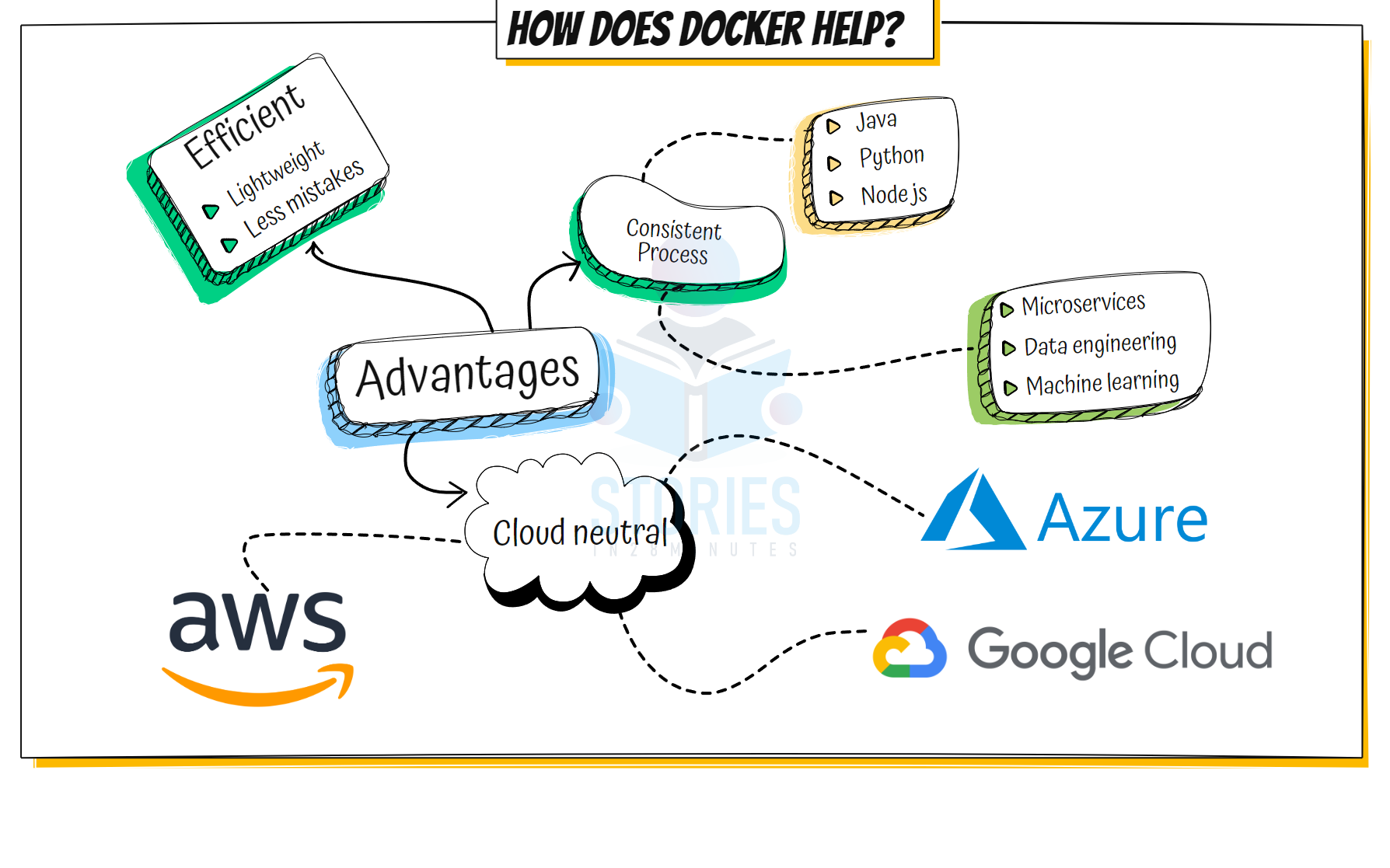
Advantages of Docker
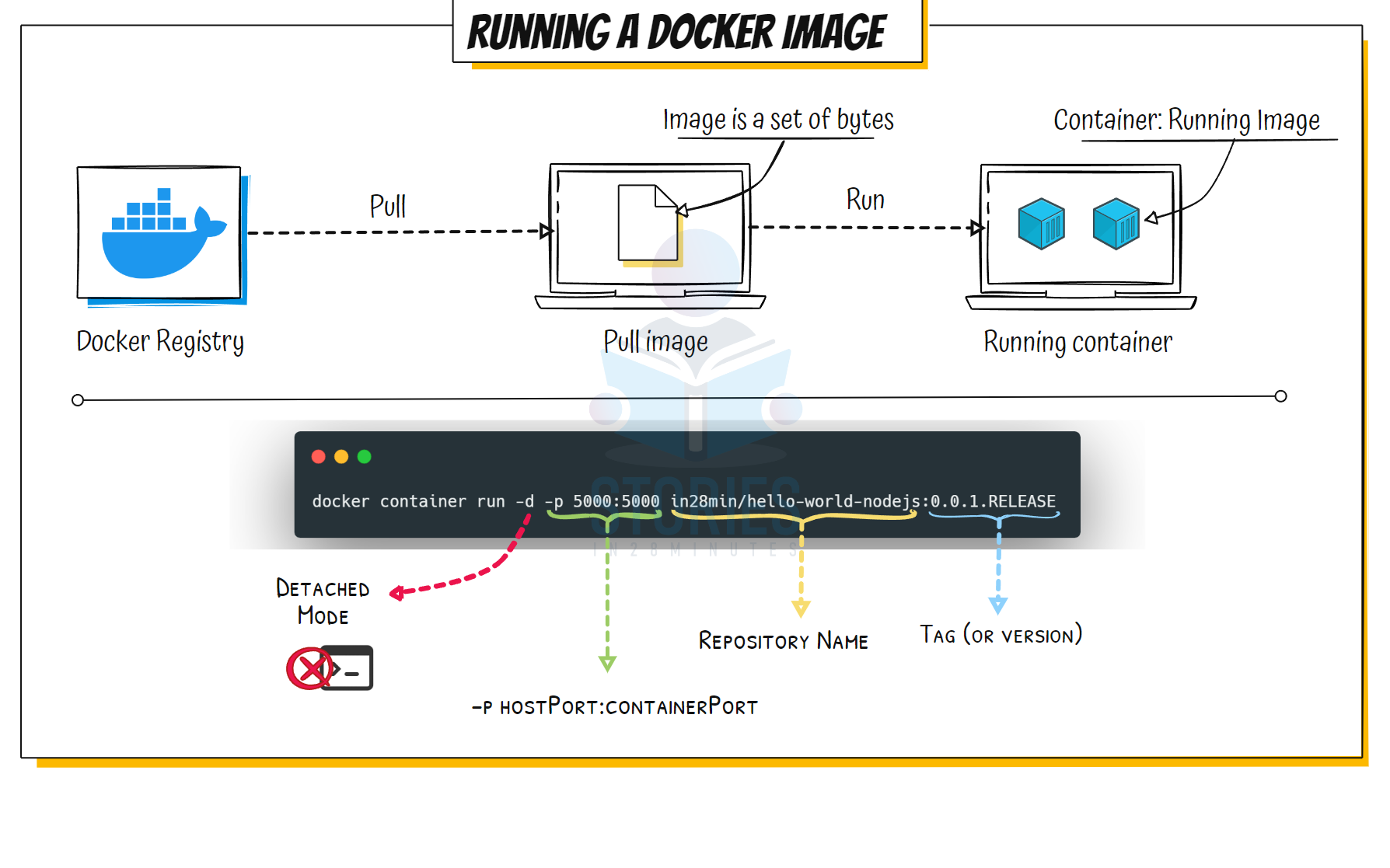
Running Docker Image
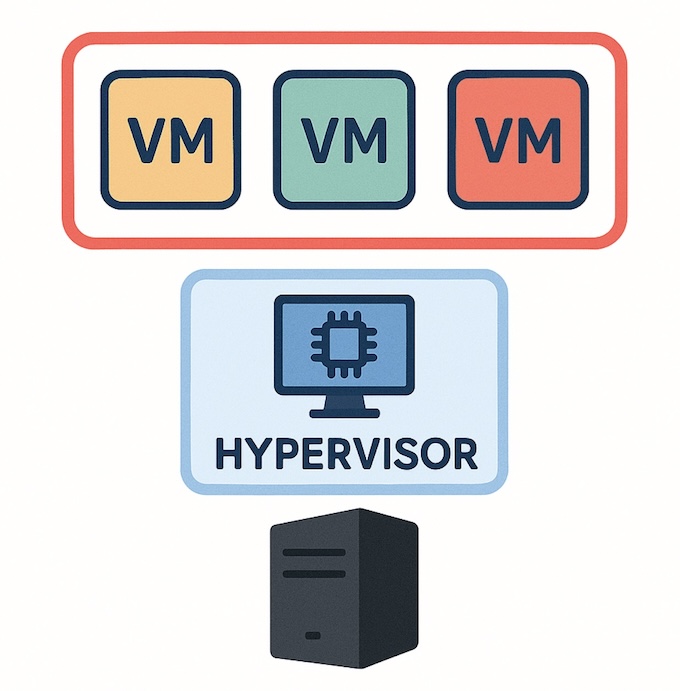
Virtual Machine Architecture
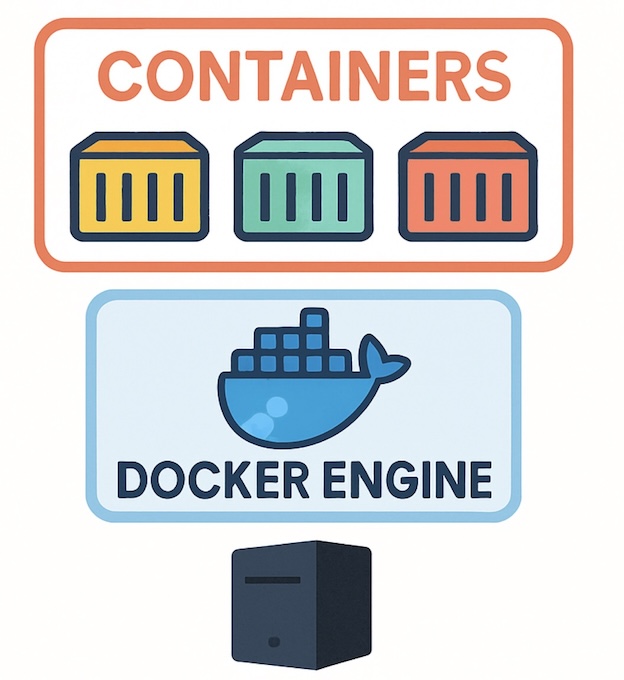
Container Architecture
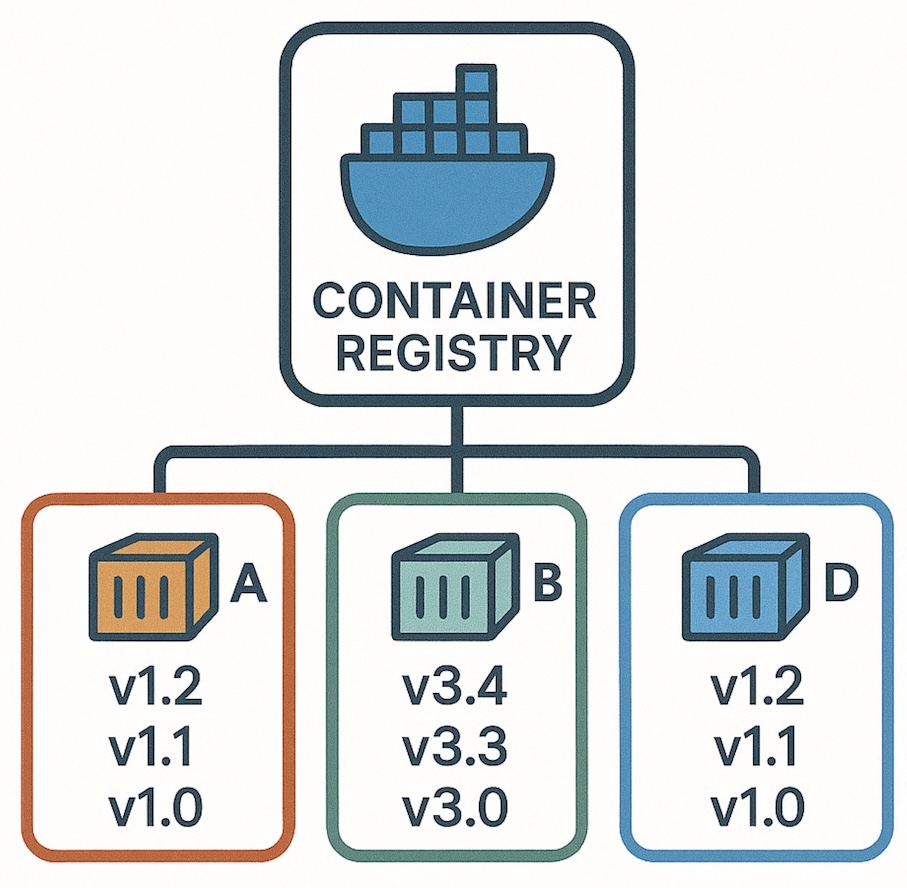
Container Registry
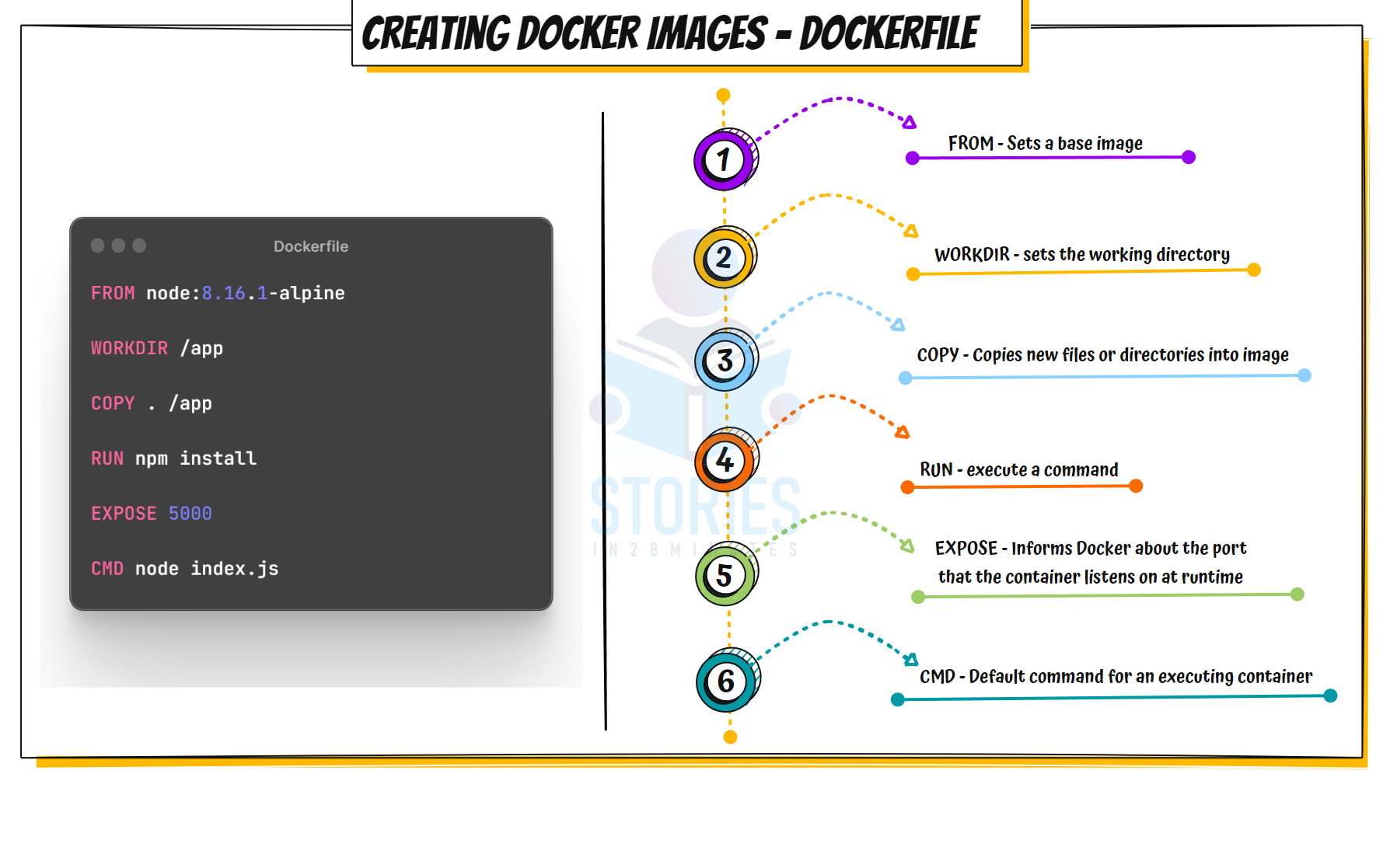
Dockerfile
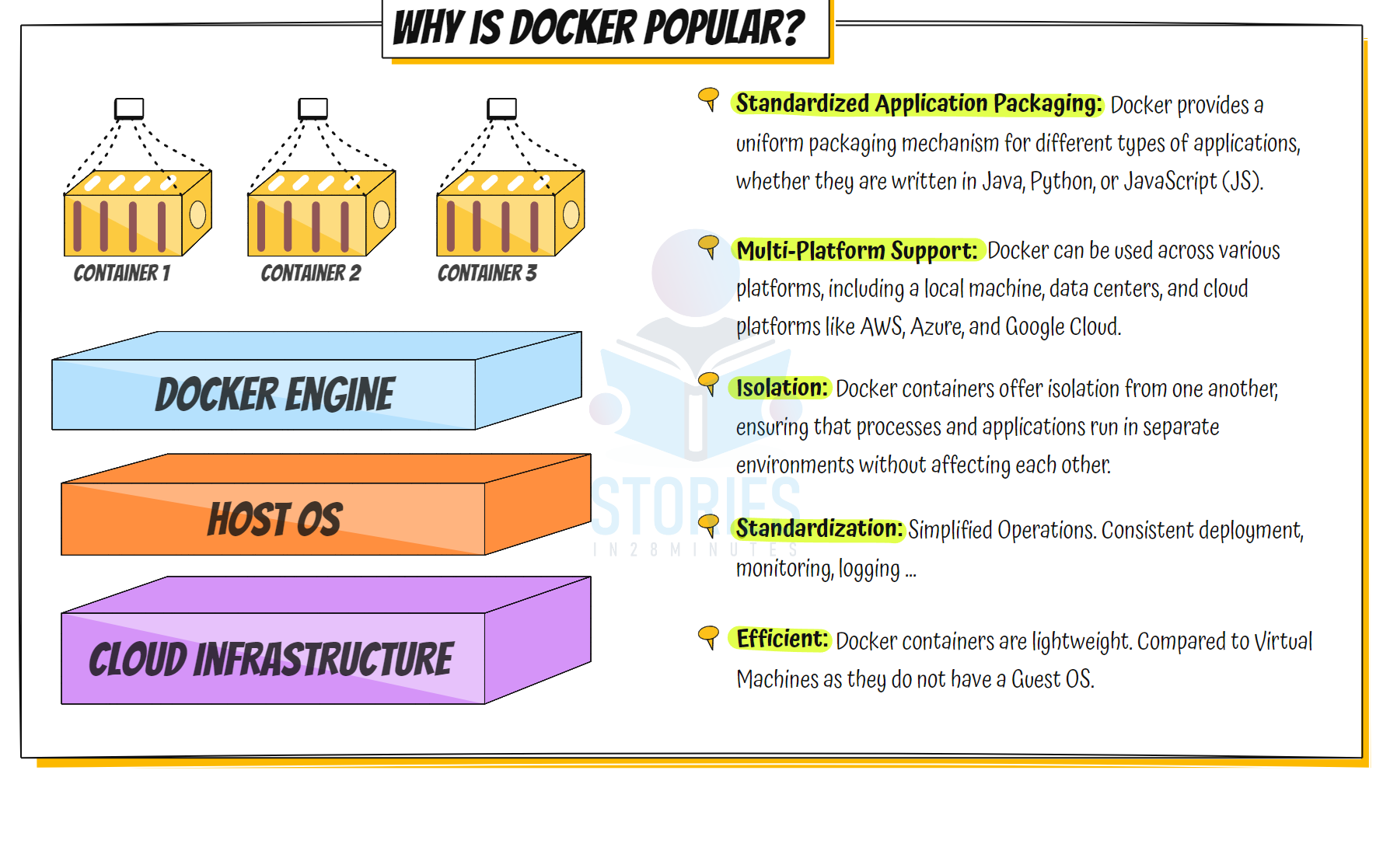
Why is Docker Popular
Docker Image Creation and Use
sequenceDiagram
    participant Dev as Developer
    participant CLI as Docker CLI
    participant Daemon as Docker Daemon
    participant Hub as DockerHub

    %% Step 1: Docker Image Build
    Dev->>CLI: docker build -t my-app .
    CLI->>Daemon: Build image request
    Daemon->>Daemon: Build the image locally
    Daemon->>CLI: Build complete
    CLI->>Dev: Image created successfully

    %% Step 2: Push to DockerHub
    Dev->>CLI: docker push my-app
    CLI->>Daemon: Push image request
    Daemon->>Hub: Authenticate and push layers
    Hub-->>Daemon: Acknowledge image pushed
    Daemon->>CLI: Push complete
    CLI->>Dev: Image pushed successfully

    %% Step 3: Pull from DockerHub
    Dev->>CLI: docker pull my-app
    CLI->>Daemon: Pull image request
    Daemon->>Hub: Authenticate and request image
    Hub-->>Daemon: Send image layers
    Daemon->>CLI: Pull complete
    CLI->>Dev: Image pulled successfully

    %% Step 4: Run Docker Container
    Dev->>CLI: docker run my-app
    CLI->>Daemon: Run container request
    Daemon->>Daemon: Allocate resources and start container
    Daemon->>CLI: Container started
    CLI->>Dev: Container is running
Docker Networking