NOTE: For best experience, please use Chrome Browser!
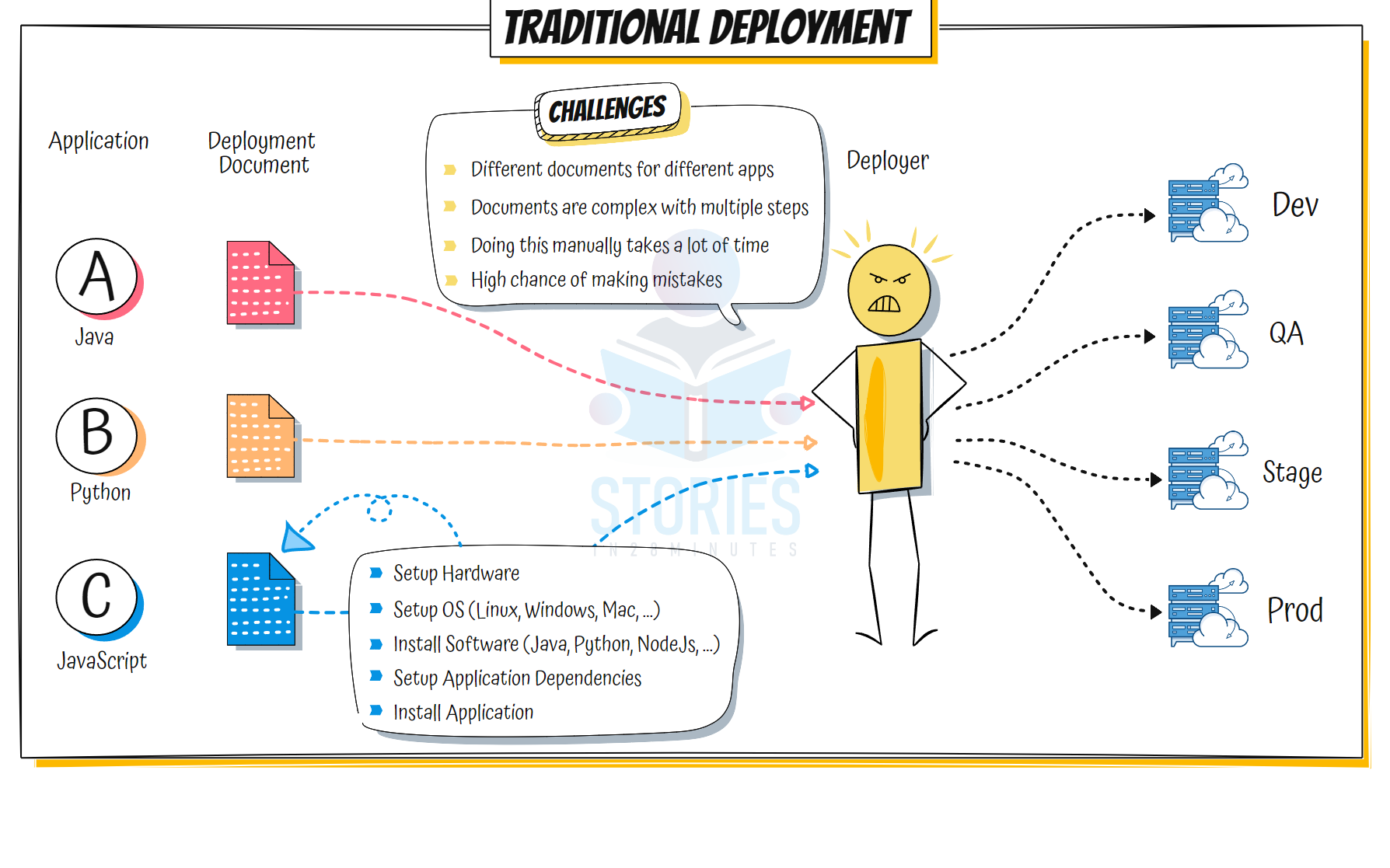
Traditional Deployment #
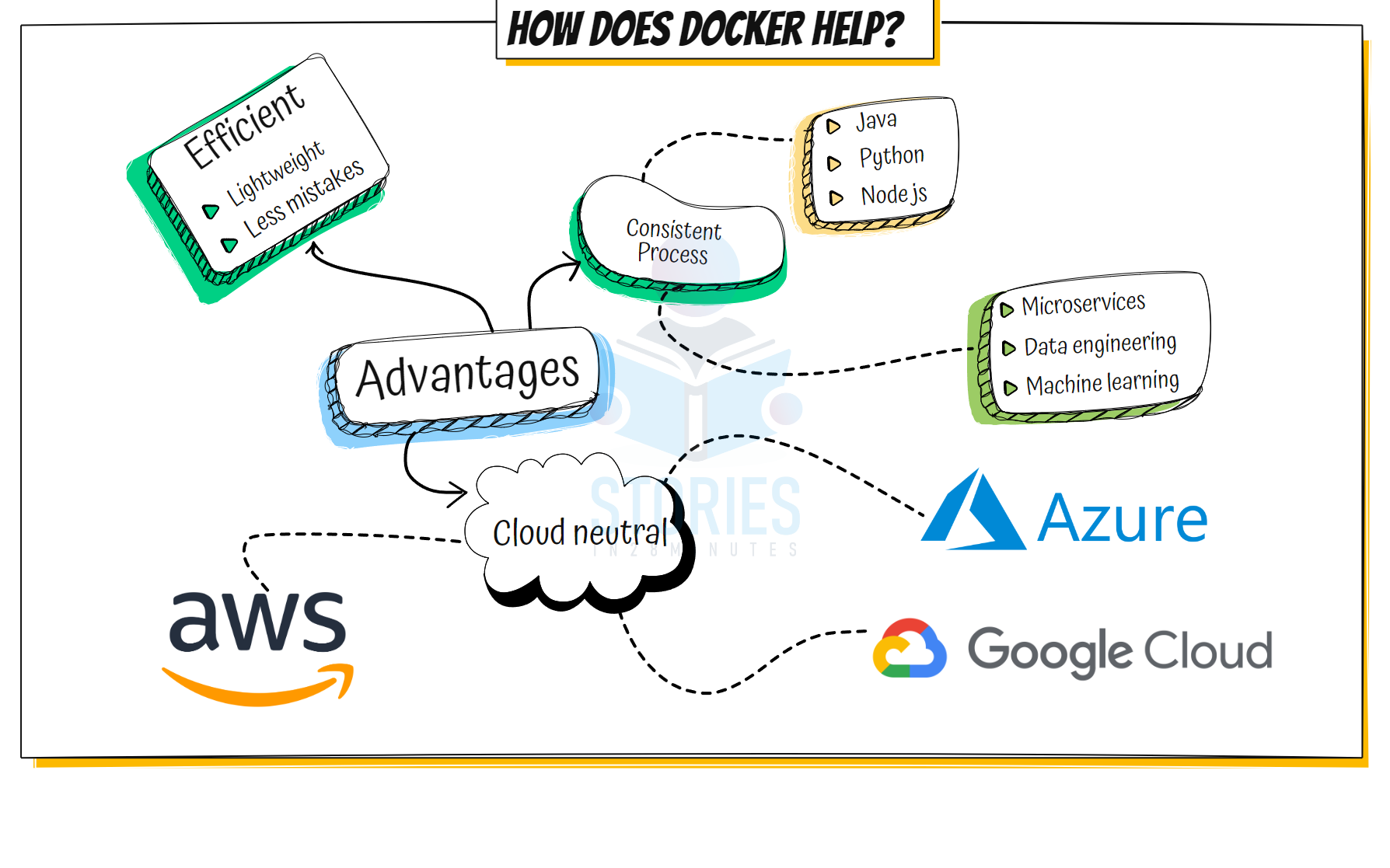
Advantages of Docker #
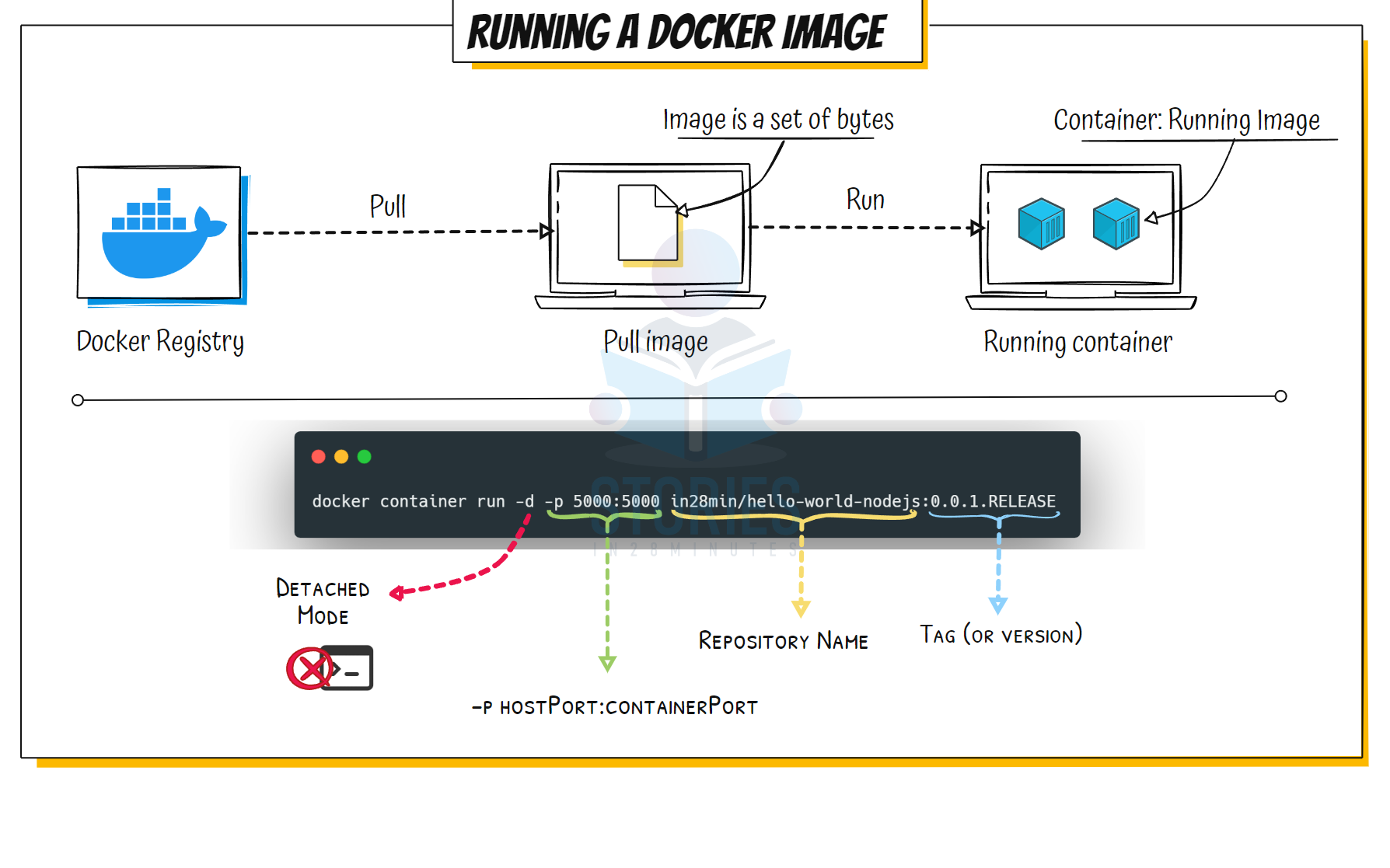
Running Docker Image #
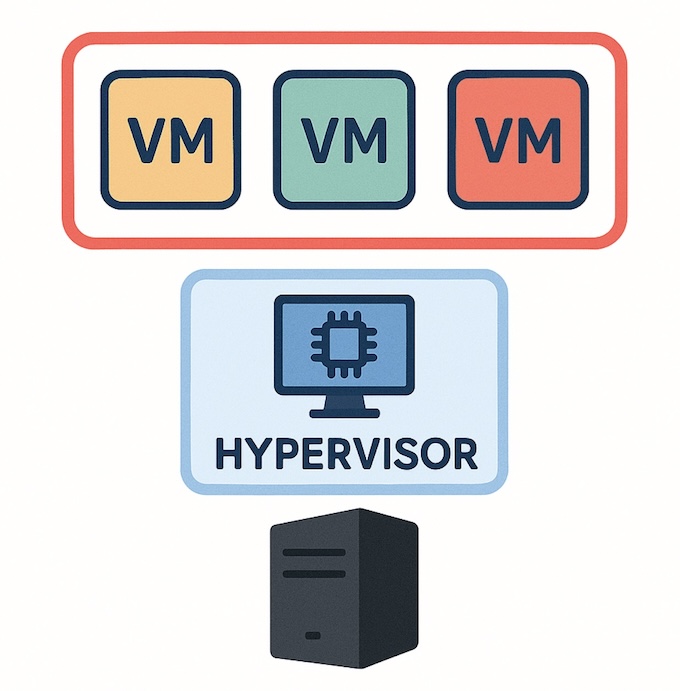
Virtual Machine Architecture #
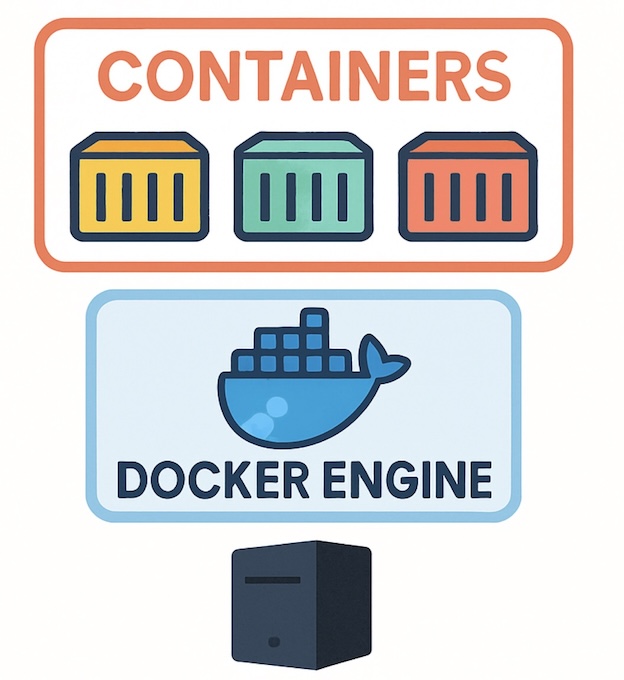
Container Architecture #
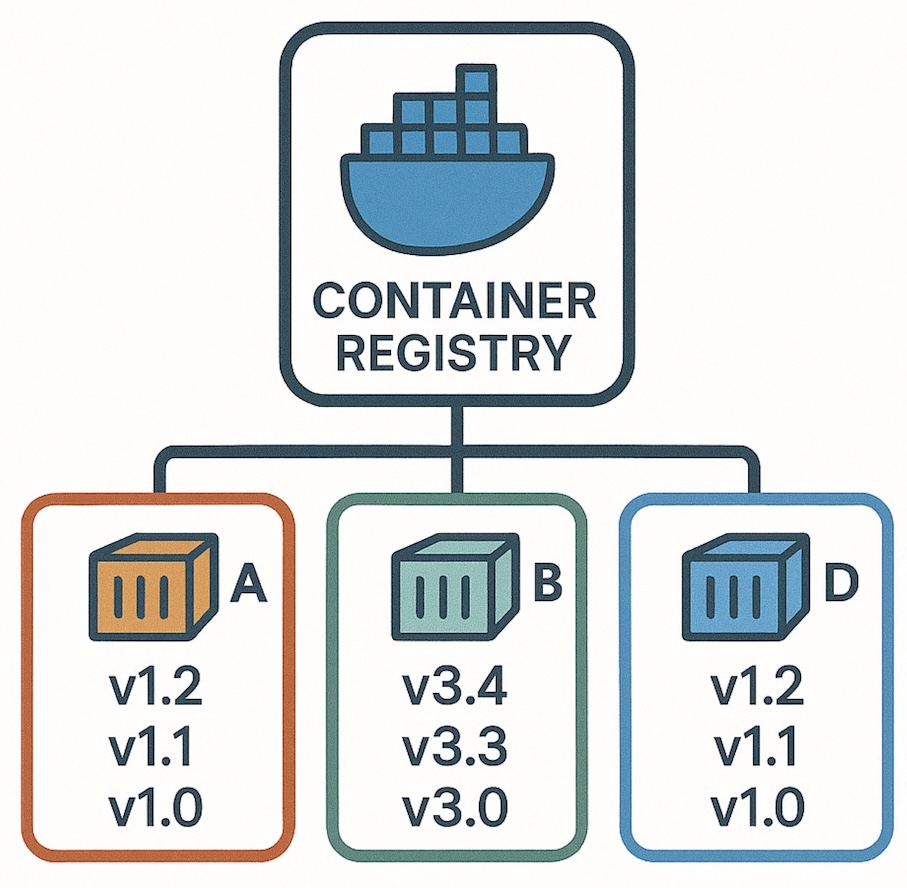
Container Registry #
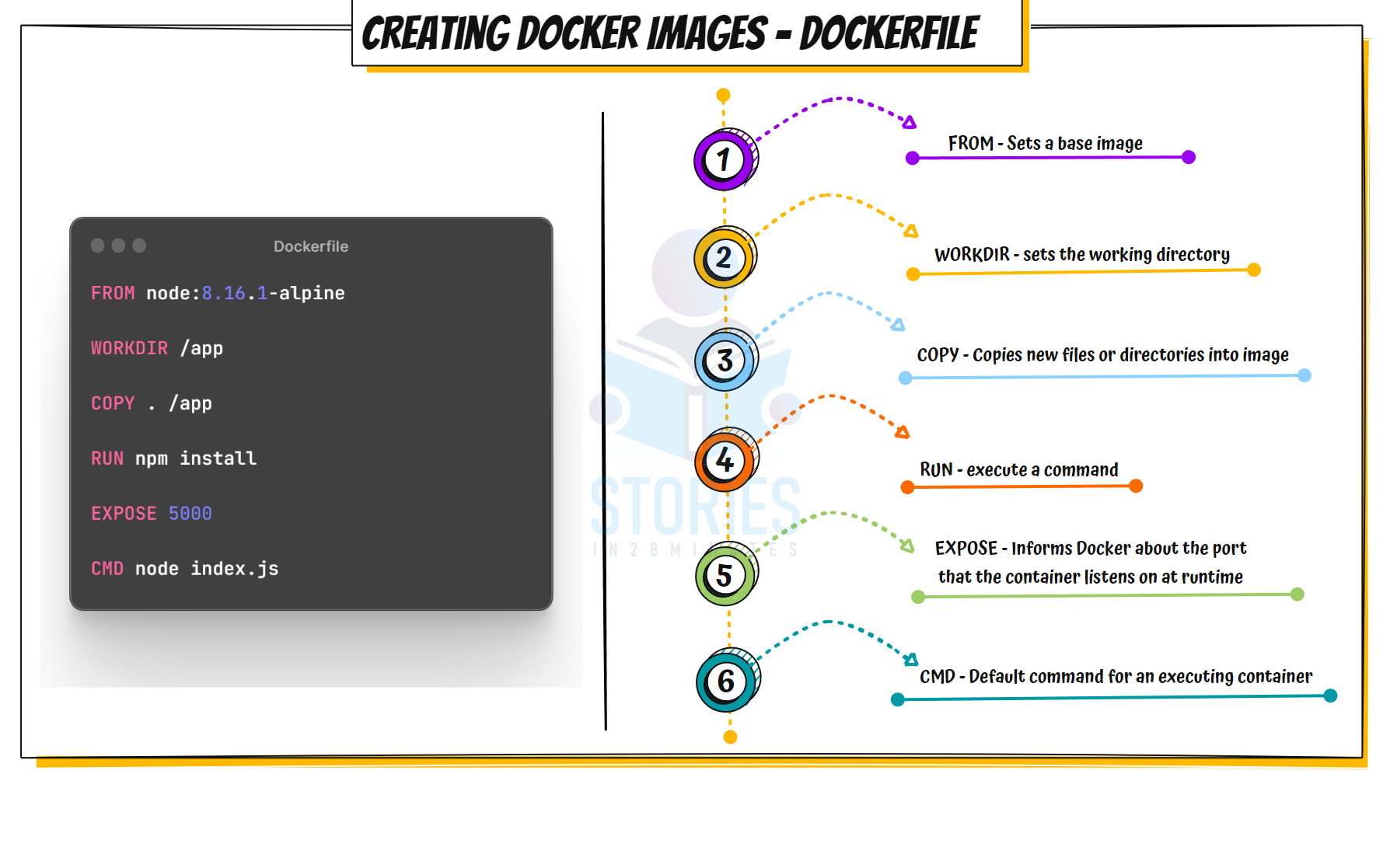
Dockerfile #
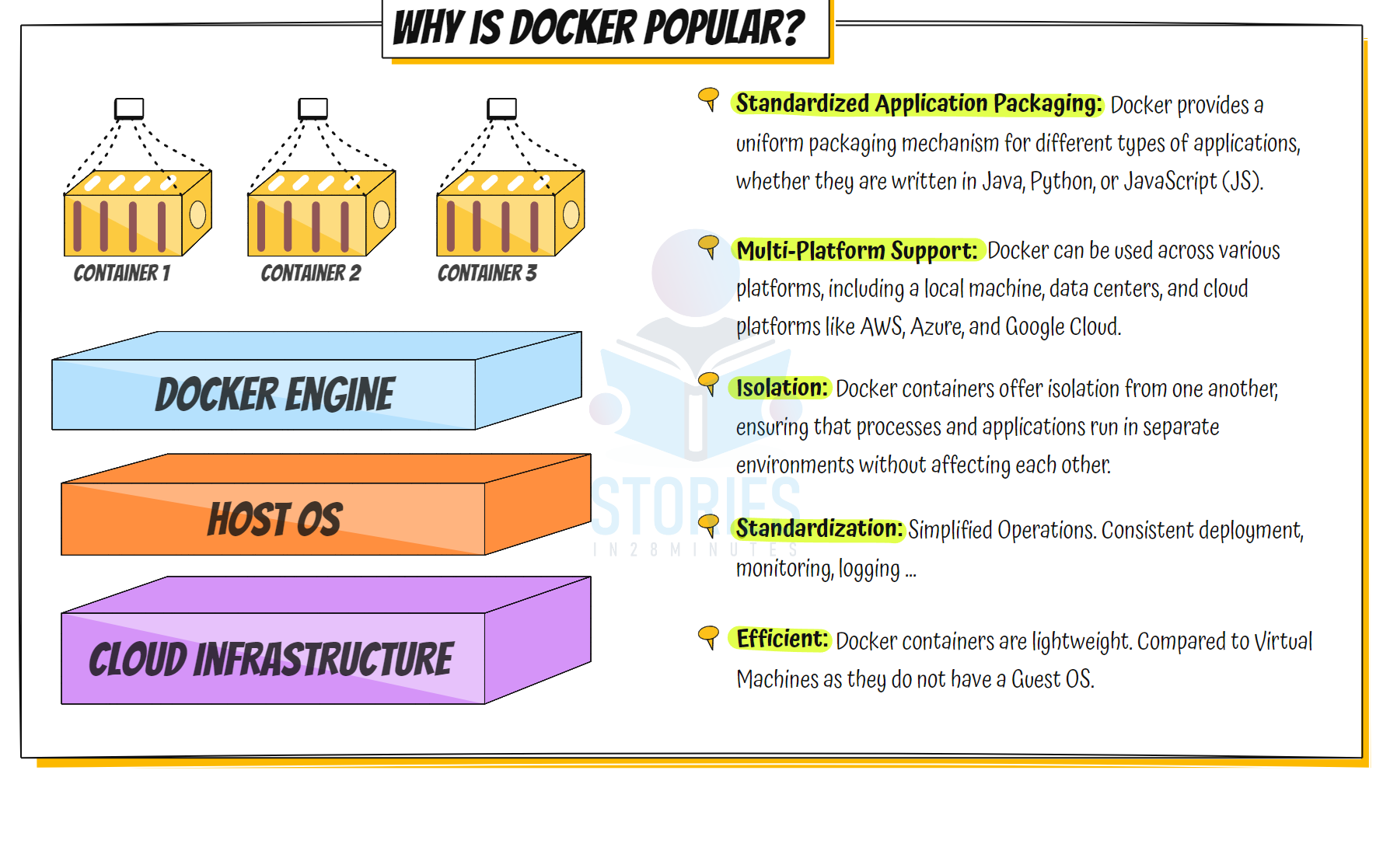
Why is Docker Popular #
Docker Image Creation and Use #
sequenceDiagram
    participant Dev as Developer
    participant CLI as Docker CLI
    participant Daemon as Docker Daemon
    participant Hub as DockerHub

    %% Step 1: Docker Image Build
    Dev->>CLI: docker build -t my-app .
    CLI->>Daemon: Build image request
    Daemon->>Daemon: Build the image locally
    Daemon->>CLI: Build complete
    CLI->>Dev: Image created successfully

    %% Step 2: Push to DockerHub
    Dev->>CLI: docker push my-app
    CLI->>Daemon: Push image request
    Daemon->>Hub: Authenticate and push layers
    Hub-->>Daemon: Acknowledge image pushed
    Daemon->>CLI: Push complete
    CLI->>Dev: Image pushed successfully

    %% Step 3: Pull from DockerHub
    Dev->>CLI: docker pull my-app
    CLI->>Daemon: Pull image request
    Daemon->>Hub: Authenticate and request image
    Hub-->>Daemon: Send image layers
    Daemon->>CLI: Pull complete
    CLI->>Dev: Image pulled successfully

    %% Step 4: Run Docker Container
    Dev->>CLI: docker run my-app
    CLI->>Daemon: Run container request
    Daemon->>Daemon: Allocate resources and start container
    Daemon->>CLI: Container started
    CLI->>Dev: Container is running
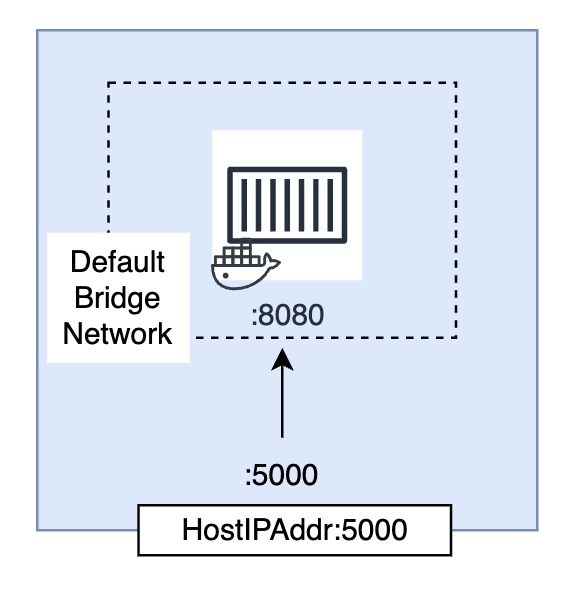
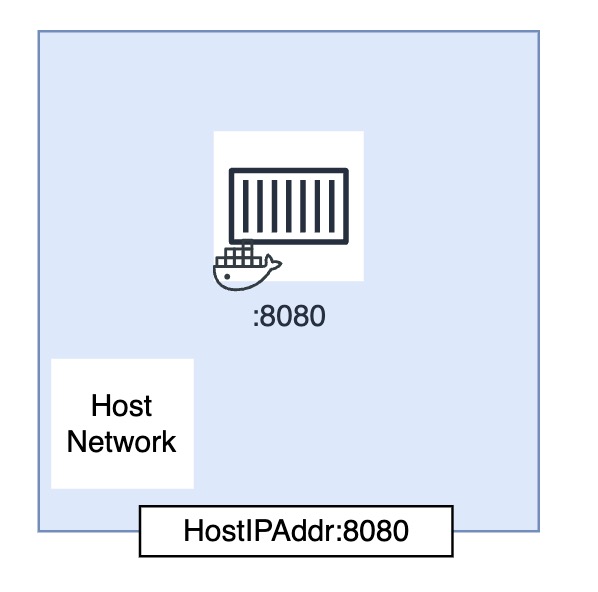
Docker Networking #